As the App Store is being spammed with low-quality AI apps, getting your app to stand out is more difficult than ever. A good App Store listing is one of the most important things, but it can be pretty boring and time-consuming.
Below is the process I use to create App Store listings + a free prompt that will save you a few hours.
For the workflow I use now, from keyword research to localized metadata and uploading it, read how I automate ASO with AI.
Keyword research
Before using the prompt, you need to do some keyword research. I like using Astro. It's relatively cheap and does the job.
If you do not have a keyword list yet, start with this guide on how to search keywords for app store optimization.
Create a temporary app in Astro or add an existing one. Look for keywords with a good ratio of popularity/difficulty. Ideally, popularity over 20 and difficulty below 50.
If you want to use the full prompt and localize the app, find at least 20-40 keywords. Note that you can always start with 2-3 languages and add more later.
Once you're done, select all keywords, right click and "Copy selected keywords with details".
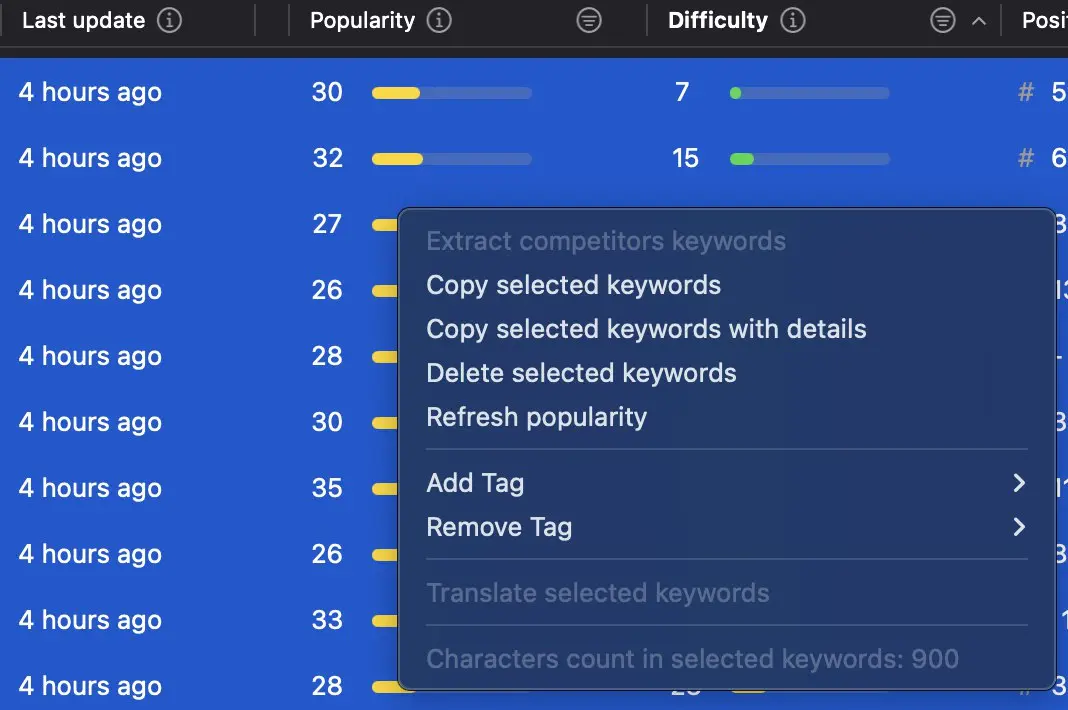
Astro export example
How to use the prompt
- Fill in your app details: pricing tiers, privacy/terms URLs. These will be included in your description field. Apple sometimes rejects apps that don't have them.
- Plug in the keywords list into the prompt.
- Add approved examples/templates from a previous app (optional).
- Paste the prompt into your favourite AI. I recommend Cursor or Claude Code, as they can look at your codebase and get context about your app.
The prompt
Create the App Store listing based on everything you know about my app.

Fields that need to be filled out:

Name (max 30 characters)

Subtitle (max 30 characters)

Promotional text (max 170 characters)
(Promotional text lets you inform your App Store visitors of any current app features without requiring an updated submission)

Description (max 4000 characters)

Keywords (max 100 characters)
(comma separated list with no spaces. Only spaces if the keyword includes a space)

App pricing (include in the description field):

[App pricing details here. Each tier name + price]

My app URLs (include in the description field):

[Privacy and terms page URLs]

Also, localize the app.

We need different Name, Subtitle, and Keywords field for each of these:

- Arabic
- Chinese (Simplified)
- Chinese (Traditional)
- French
- Korean
- Portuguese (Brazil)
- Russian
- Spanish (Mexico)
- Vietnamese

They will still be in English, we will just use different keywords.

VERY IMPORTANT:

You must use keywords as is. Don't change them, add or remove words. Example: "ai avatar" and "ai avatars" are different keywords. You must not repeat keywords across different fields or even across localisations. The main keywords will be used on the English localisation. If you run out of keywords from the list below, you have creative freedom to come up with adjacent keywords yourself. But don’t repeat them.

Priority of keywords placement:

Name -> Subtitle -> Keywords field -> Description

You can sprinkle in some keywords in the Description field, but don't cram them and only if it feels natural.

From the list of keywords below, sort them by “Difficulty” lowest. Then, start from the top (lowest difficulty first) and English locale.

Keywords list:

[Export keyowrds list from Astro, with popularity + difficulty]

Templates from my previous app. The description especially must follow this template:

Promotional text:
[Template here]

Description:
[Template here]

Keywords:
[Template here]

Take it step by step. Generate a markdown file with the results once you’re done.
Wrap up
Remember that researching keywords is the most important part. Don't skip it. Ideally, you should do it before you start building the app.
My flow for building an app:
- Find good keywords with Astro
- Build the MVP in max 1 week
- Create the App Store listing with the prompt
- Ship and move on to the next app
I hope this helps you save some time next time you build an app. Good luck!