
ASO stands for App Store Optimization. It is the process of improving your app listing so it ranks higher in app store search and converts more visitors into downloads.
Think of it like SEO, but for mobile apps. Instead of trying to rank a blog post on Google, you are trying to rank an app for searches like habit tracker, ai tattoo, calorie counter, or whatever your niche is.
Good ASO helps people find your app without paying for ads. If you pick the right keywords before building, even a small app can get organic downloads from the App Store.
How ASO works
ASO has two main parts:
- Visibility: Getting your app to appear for relevant App Store keywords.
- Conversion: Getting people who see your app to actually download it.
On the Apple App Store, the most important keyword fields are usually:
- App name
- Subtitle
- Keywords field
- Primary category
There are also signals you do not fully control, like downloads, ratings, reviews, and how users behave after finding your app. This is why keyword research alone is not enough. Your product page still needs a clear icon, strong screenshots, and enough trust to make someone tap download.
Keyword research is usually the best place to start because it shows whether people are already searching for this kind of app before you build it.
Why ASO matters
Most indie apps fail because they are built first and researched later. The app might be decent, but nobody is searching for it, or the keyword is already dominated by huge competitors.
ASO helps you avoid that. Before spending a week or a month building, you can check:
- Are people searching for this kind of app?
- Are the top apps beatable?
- Do competitors have weak titles, subtitles, screenshots, or ratings?
- Are the top apps likely making money?
This is also where Astro is useful. It helps find keywords with a decent popularity/difficulty ratio, inspect competitors, and track rankings after launch.
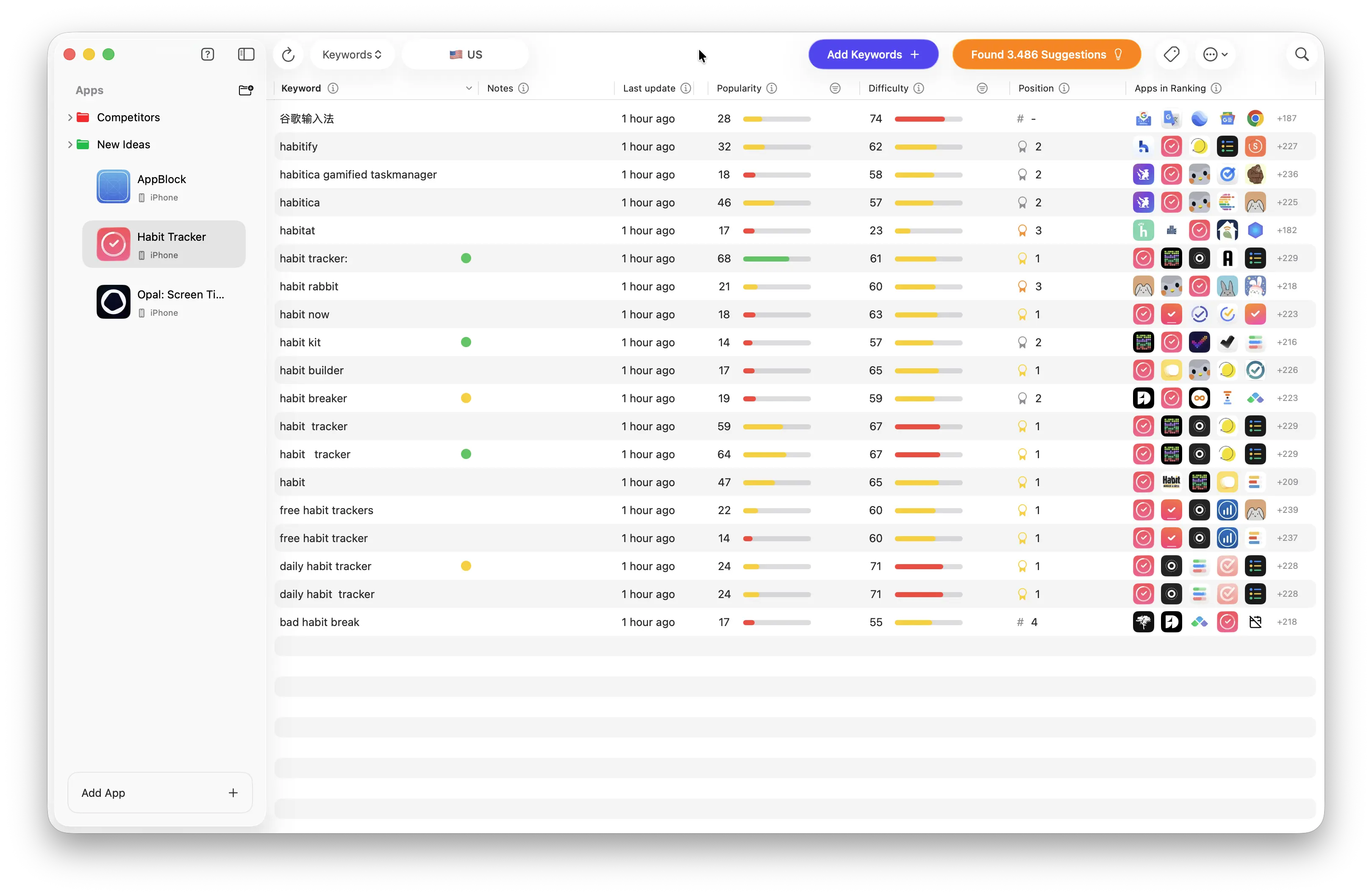
Astro ASO keyword research
A simple ASO checklist
For a new iOS app, a simple ASO checklist looks like this:
- Find a few keyword ideas.
- Look for keywords with enough popularity and manageable difficulty.
- Check the top ranking apps for weak spots: low ratings, bad screenshots, old listings, or missing keywords.
- Put the best keyword in the app name or subtitle if it still reads naturally.
- Use the keywords field for extra relevant terms without repeating the same words.
- Create screenshots that make the app obvious in a few seconds.
- Launch, track rankings, and improve the listing based on real data.
For the listing itself, researched keywords should shape the app name, subtitle, description, and keywords field. The App Store listing prompt can help turn those keywords into a clean listing faster.
Common ASO mistakes
The biggest mistake is choosing keywords that are too broad. A new app probably will not rank for something like fitness, photo editor, or notes. Those searches are too competitive.
Look for smaller, more specific keywords instead. A keyword with less traffic can still be great if the user intent is clear and the competition is weak.
Other common mistakes:
- Repeating the same keyword across app name, subtitle, and keywords field
- Using competitor brand names or trademarked terms
- Writing screenshots like generic marketing slides
- Ignoring ratings after launch
- Building an app before checking if the niche is worth it
Ratings matter a lot after launch, so it is worth having a plan for collecting early ratings from real users.
For a step-by-step workflow, read the full App Store keyword research guide.
Once you understand the basics, you can automate the research and localized listings with AI. I use Codex, Astro MCP, and ASC CLI for that.