
A chorus in your notes app. A birthday song with a few inside jokes. A rap verse that needs a beat. AI music generators can turn those starting points into a recording without a microphone or a music production setup.
The choice gets harder after the first song. Can you use your own lyrics? Replace a weak verse without losing the chorus? Download the result?
These five tools offer different answers. Suno, Eleven Music, Udio, and Words Into Music can generate songs with vocals. SOUNDRAW makes instrumental backing tracks for recording your own voice or adding music to a project.
- The five AI music generators at a glance
- Suno for complete songs and deeper editing
- Eleven Music for changing part of a song
- Udio for remixes and song extensions
- Words Into Music for a simple first song
- SOUNDRAW for beats to sing or rap over
- Give the generator a song it can follow
- Which AI music generator should you choose?
The five AI music generators at a glance
Pricing was checked on October 15, 2026. All prices are in USD. The plans below use monthly billing, with annual discounts noted separately.
| Tool | Good fit | What to know |
|---|---|---|
| 1. Suno | Complete songs with room to keep editing | Advanced tools and download allowances depend on the plan |
| 2. Eleven Music | Changing individual sections of a song | Section editing lets you preserve parts you like |
| 3. Udio | Exploring remixes and extending an idea | Audio, video, and stem downloads are currently disabled |
| 4. Words Into Music | A simple way to turn words into a song | MP3 downloads; revisions create a new recording |
| 5. SOUNDRAW | Instrumental beats and background music | Record or add vocals separately |
1. Suno for complete songs and deeper editing
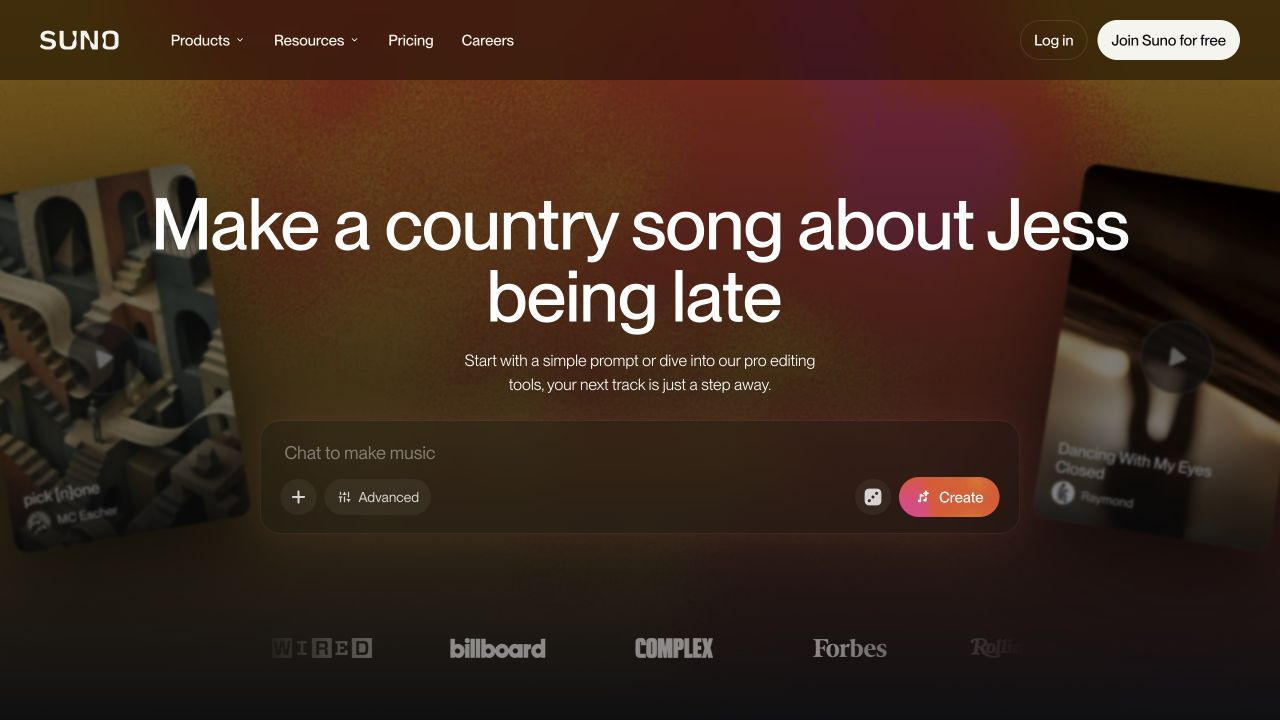
Suno is a useful first stop if you want a full song with vocals and instruments. Describe the subject and sound, or switch to custom lyrics when you already have the words.
Its appeal goes beyond getting a first take. Song editing, remixes, and stem separation give you ways to develop it. Stems are separate audio parts, such as vocals and instruments, that you can work on in a music editor. Suno Studio adds a browser workspace for arranging and mixing.
That makes Suno a good starting point for someone who wants to experiment now and learn more about production later.
Pricing and usage limits
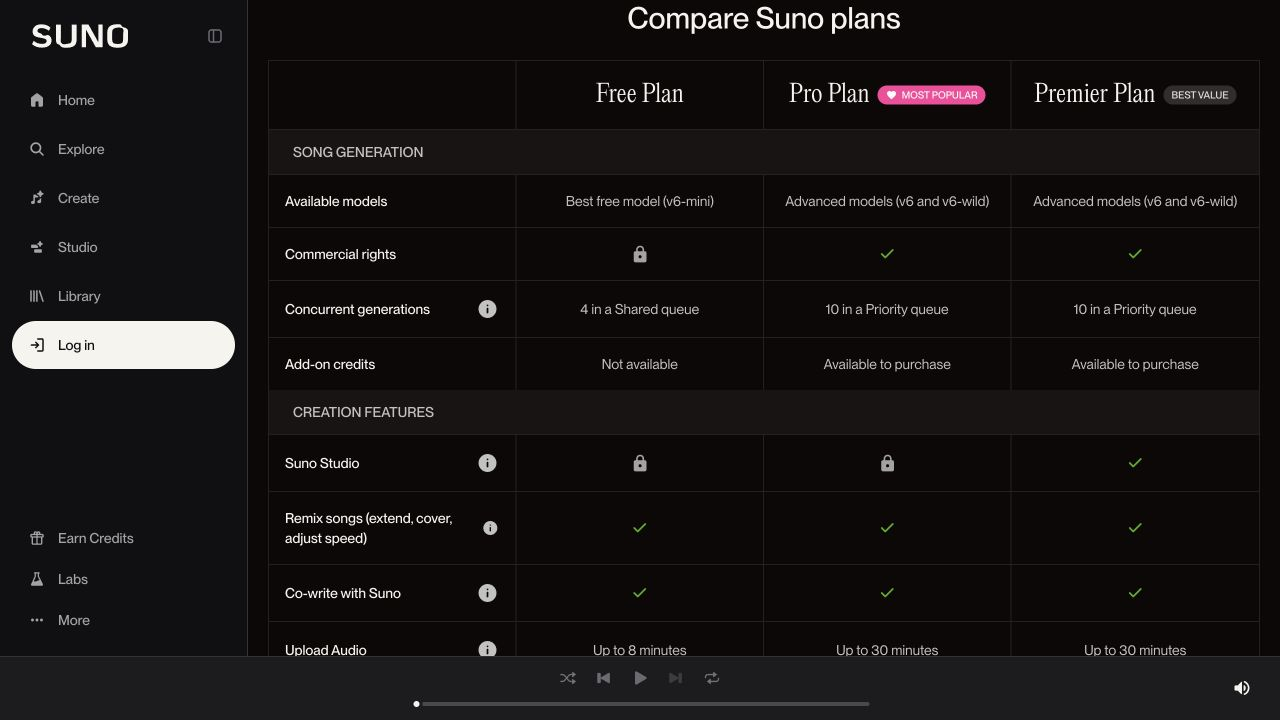
- Free has 50 credits per day, access to free models, and a shared generation queue. It has no monthly download allowance or commercial use rights.
- Pro costs $10 per month, with 2,500 monthly credits and 20 song downloads. It adds paid models, editing tools, stem separation, and commercial use rights.
- Premier costs $30 per month, with 10,000 monthly credits and 60 song downloads. It also includes Suno Studio and more advanced stem separation.
Annual billing brings Pro to $8 per month and Premier to $24 per month, paid yearly. Included credits don't roll over. Purchased top-up credits don't expire, but require an active subscription to use.
The download allowance is separate from generation credits. Making several takes doesn't mean you can download every one within the included plan.
2. Eleven Music for changing part of a song
Eleven Music generates music with vocals or instruments from a written description. You can specify the sound and structure, then work on the lyrics and individual sections.
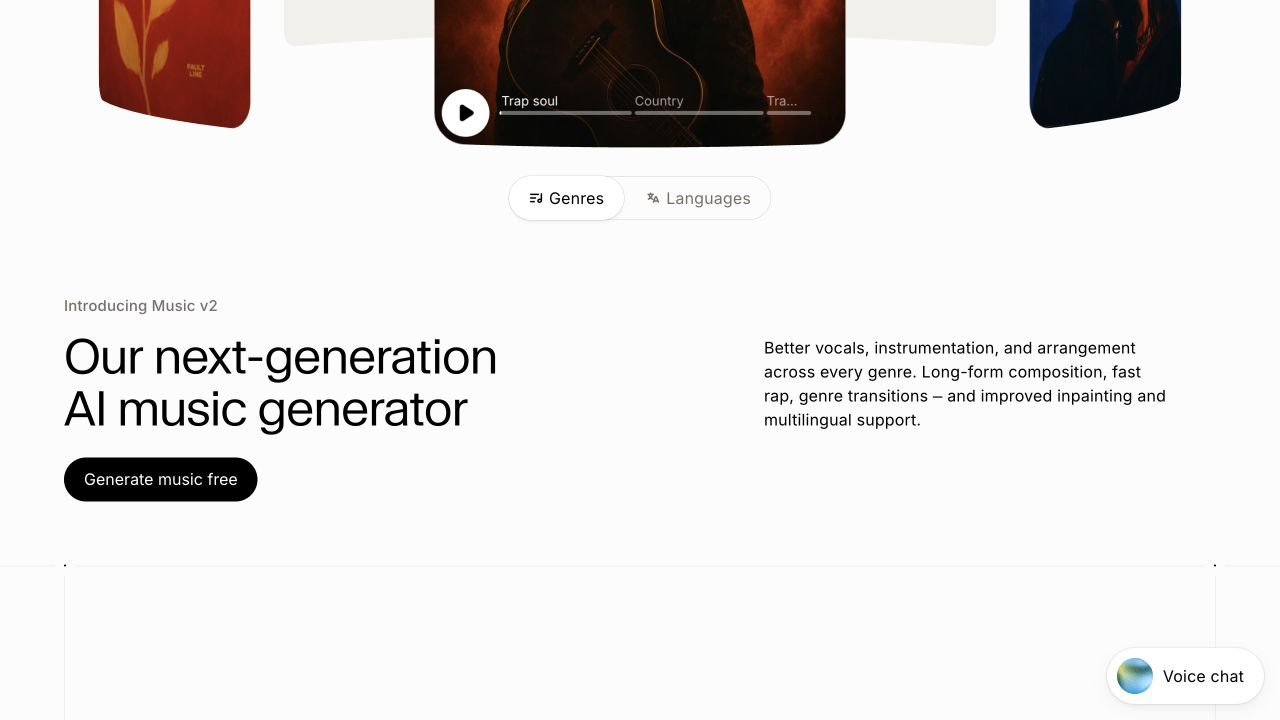
Section editing is the reason to put it on your shortlist. If the chorus works but the bridge drags, you can select that part and regenerate it. You don't have to throw away the whole recording to try a different transition.
It also supports multilingual song generation. For a song in a language you speak, listen for pronunciation and where the singer places the emphasis. Correct words can still sound awkward when stretched over a melody.
Choose it when keeping a good section matters as much as generating the next one.
Pricing and usage limits
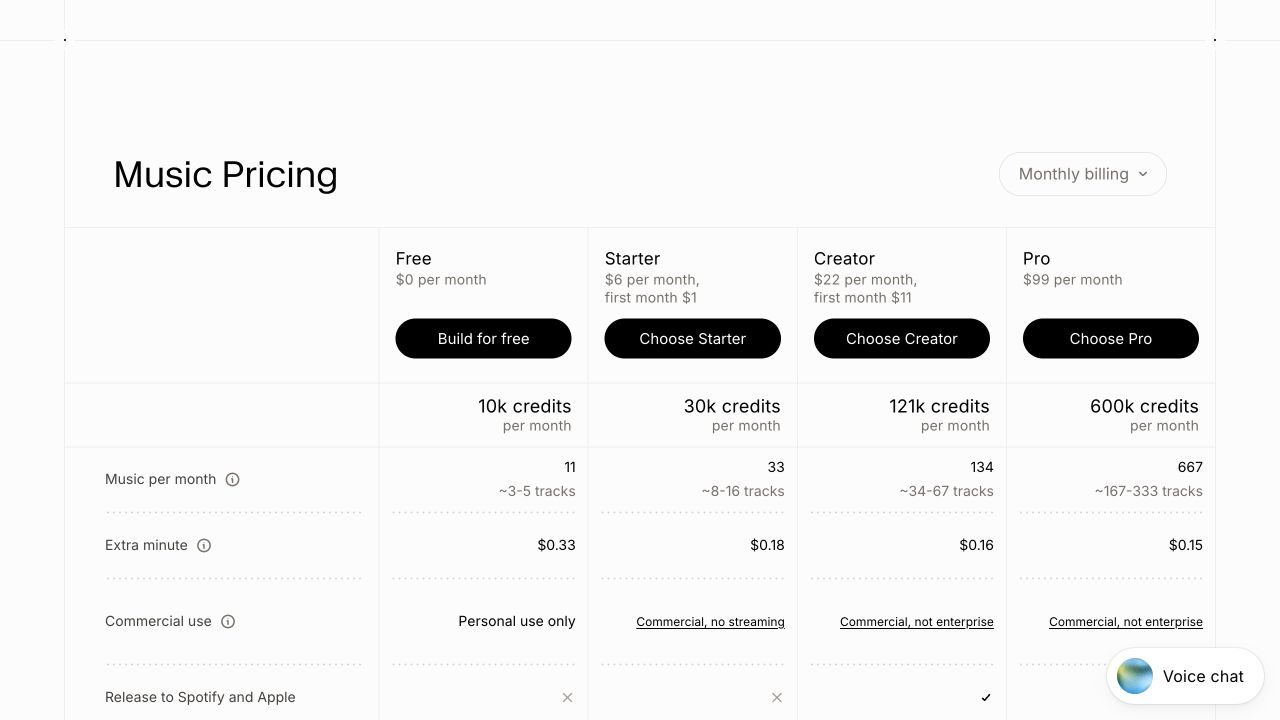
- Free includes 10,000 credits per month. The music table estimates about 3 to 5 tracks and lists personal use only.
- Starter costs $6 per month, with 30,000 credits and an estimated 8 to 16 tracks. Its listing excludes streaming releases.
- Creator costs $22 per month, with 121,000 credits and an estimated 34 to 67 tracks. The table includes streaming releases and 2- or 4-stem exports.
- Pro costs $99 per month, with 600,000 credits and an estimated 167 to 333 tracks. Stem exports go up to six parts.
Those track counts are estimates, so compare the credit allowance against the lengths you want to make. The page also lists extra music at $0.33, $0.18, $0.16, and $0.15 per minute across those tiers. Starter's $1 and Creator's $11 introductory offers apply to the first month, rather than the ongoing price.
3. Udio for remixes and song extensions
Udio suits an idea you want to develop through several versions. Start with a prompt or your own lyrics, then use its remix and extension tools to change direction or build out the song.
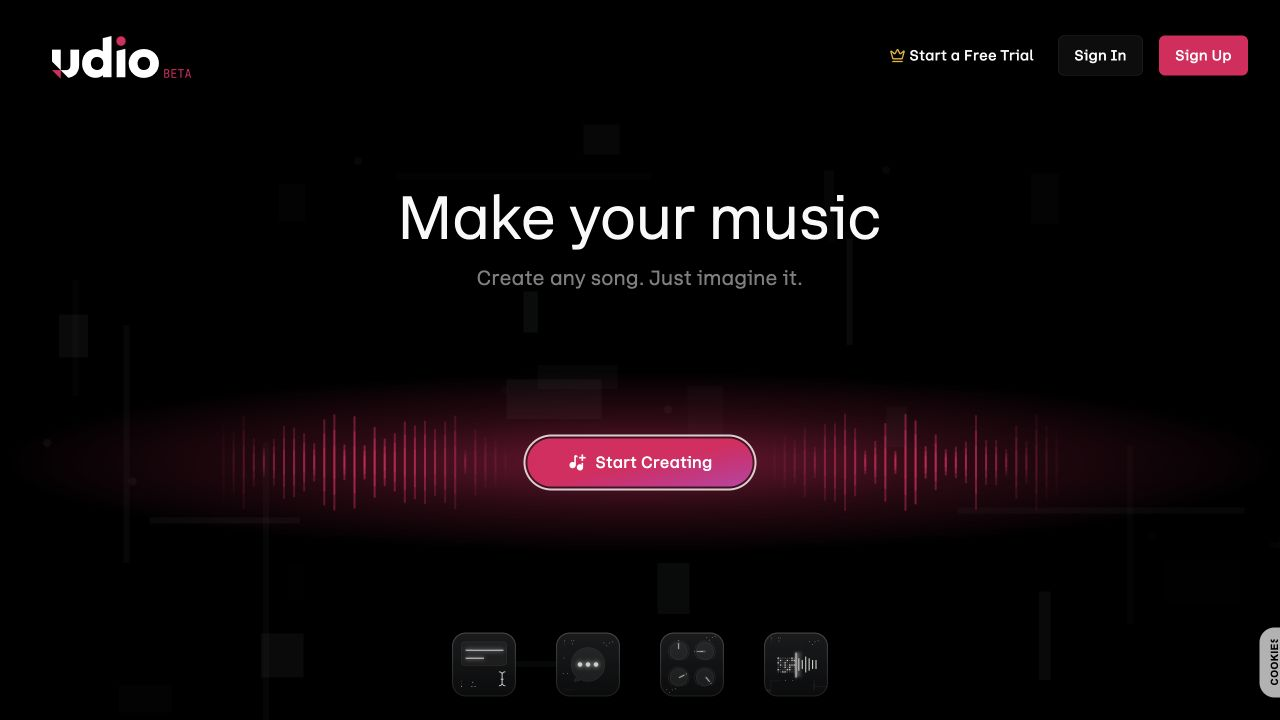
Extensions can add an intro, an outro, or another section before or after the existing audio. Remix controls let you explore changes while deciding how closely to follow the original. That's useful when a short idea has promise but needs a different arrangement.
There is a major practical limit. As checked on October 15, 2026, Udio's official service update says audio, video, and stem downloads are disabled. Songs can still be shared through Udio links.
Keep that restriction in mind if you need a file for a video, a recording session, or another editor. Udio is easier to recommend for experimenting within its platform than for a project that depends on exporting the result.
Pricing and usage limits
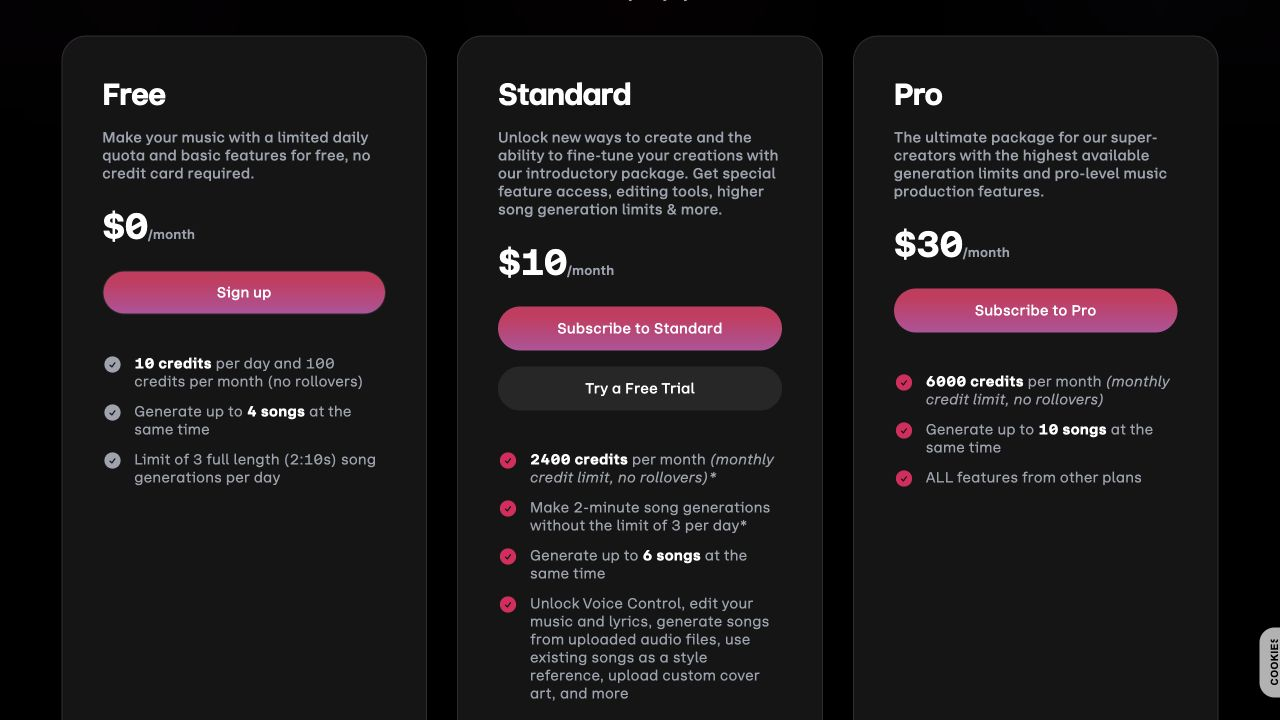
- Free includes 10 daily credits plus a 100-credit monthly allowance, up to four simultaneous songs, and three full-length 2-minute-10-second generations per day.
- Standard costs $10 per month, with 2,400 monthly credits and up to six simultaneous songs. It adds audio uploads, voice controls, and music and lyric editing.
- Pro costs $30 per month, with 6,000 monthly credits and up to ten simultaneous songs.
Annual billing is $96 for Standard or $288 for Pro. Subscription credits don't roll over. A pair of 32-second generations costs two credits; a pair of 130-second generations costs four. Edits and extensions also use credits.
The seven-day Standard trial keeps the free credit and full-length generation limits. Paying for more credits doesn't remove the download restriction described above.
4. Words Into Music for a simple first song
Words Into Music takes a description or lyrics you've already written and turns them into a song with vocals and backing music. You choose the genre, mood, instruments, vocal style, and language.
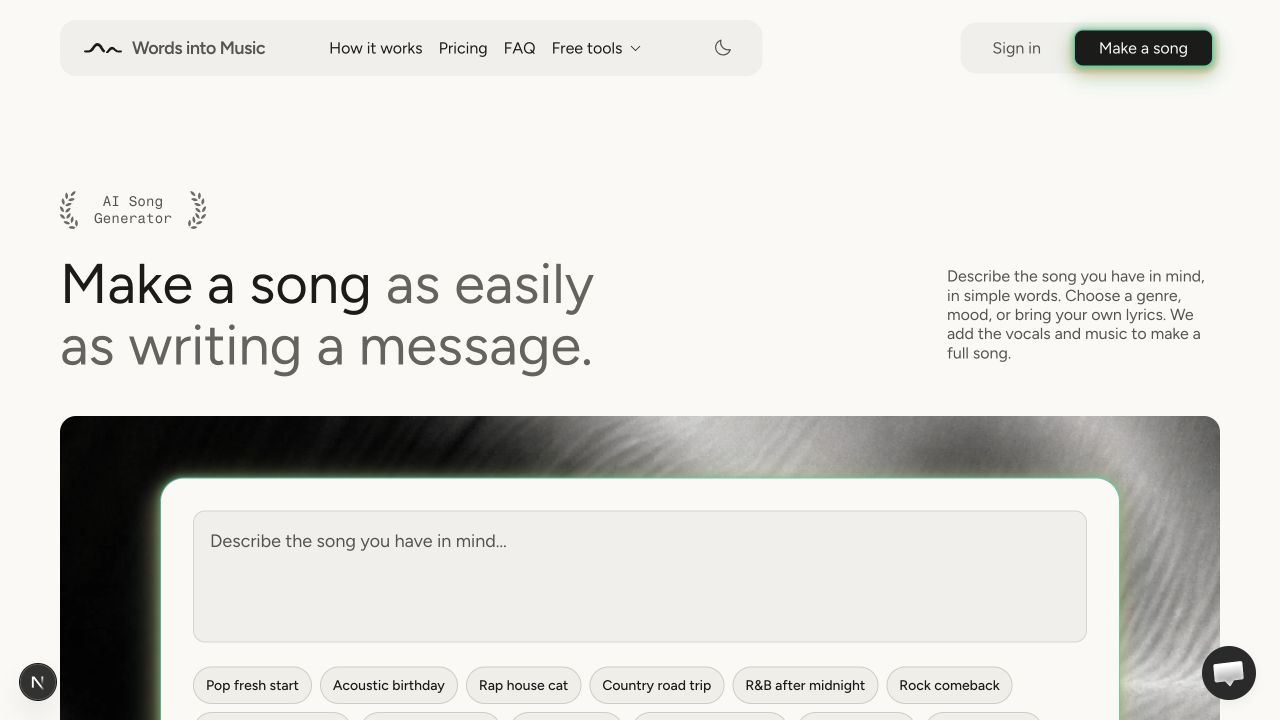
Its main advantage is simplicity. You can describe an idea in plain language and make a song without learning a music editor. The lyric preview helps when you know the story but haven't written the words. Review the draft and change lines before generating the recording. A birthday song, for example, will be more personal if you replace generic compliments with a detail the person will recognize.
Songs can run up to three minutes, with MP3 downloads and a private library. The language choices include English, Spanish, German, French, and Portuguese.
It fits a straightforward writing-to-recording workflow. Revisions generate a new take, so changing a line won't preserve the exact melody or performance of the previous version. Finish the words first if you want to spend fewer attempts fixing lyrics.
Pricing and usage limits
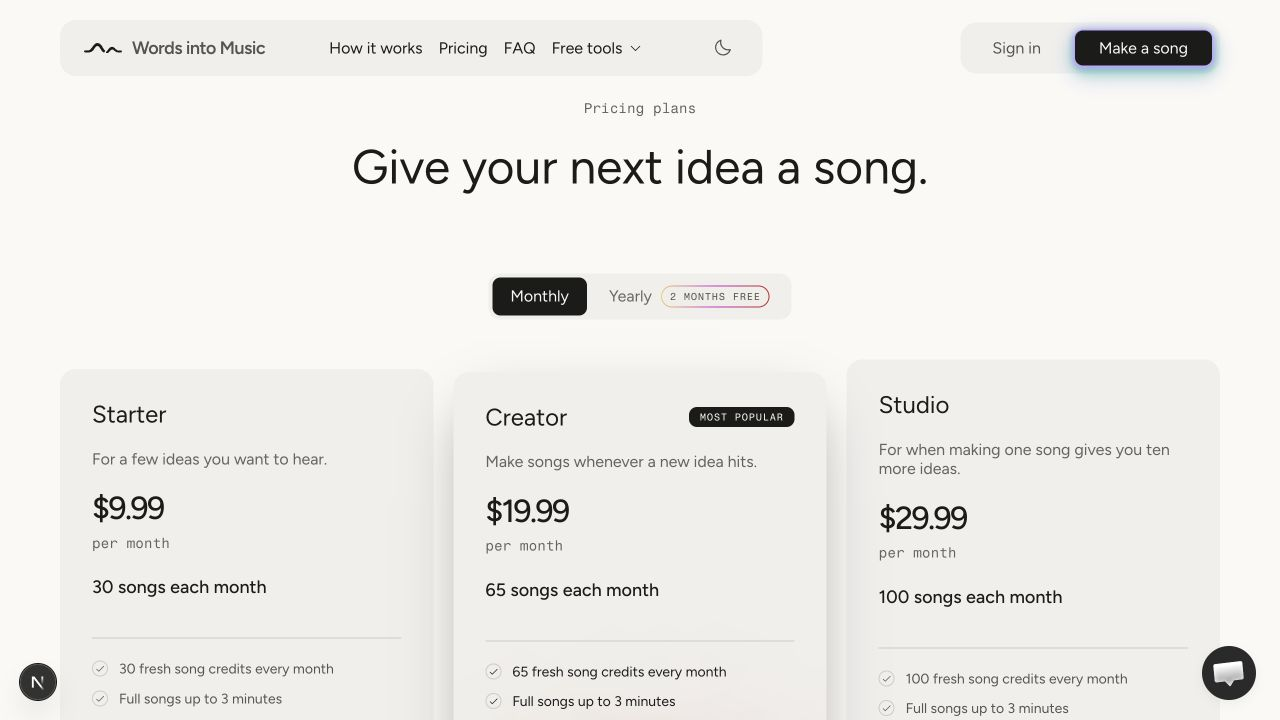
- Starter costs $9.99 per month for 30 songs.
- Creator costs $19.99 per month for 65 songs.
- Studio costs $29.99 per month for 100 songs.
Each song credit covers one recording up to three minutes long. All three plans include MP3 downloads and a private library. Monthly subscription credits don't roll over, and yearly plans still issue the allowance monthly.
For occasional use, one-time packs cost $9.99 for 20 songs, $19.99 for 40, or $39.99 for 90. They don't require a subscription, and purchased credits don't expire. The lyric and title tools don't use song credits. Technical failures return the credit; generating another take uses a new one.
That makes the choice straightforward. A pack suits a one-off project, while a subscription gives a larger allowance if you make songs regularly.
5. SOUNDRAW for beats to sing or rap over
SOUNDRAW makes instrumental tracks. It belongs on this list if you want a backing track for your own voice, or music that leaves room for narration in a video or podcast.
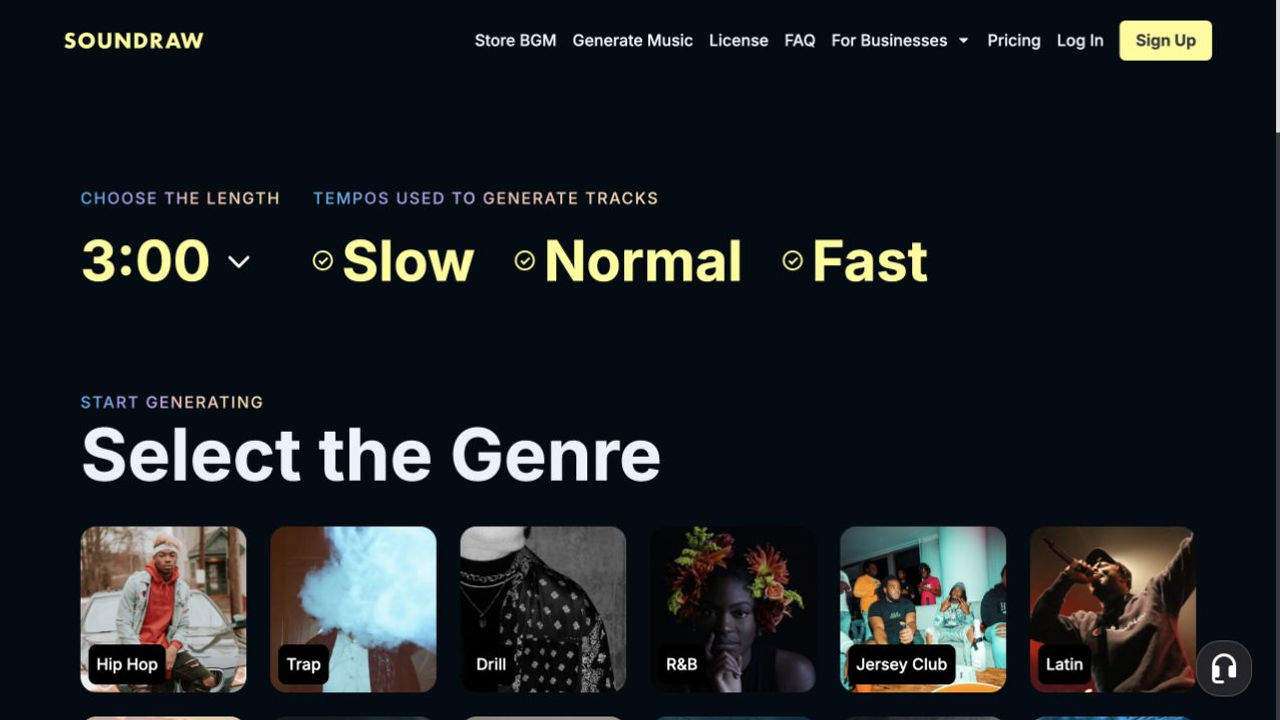
You start with choices such as length, tempo, genre, and mood. Its mixer lets you adjust instruments and intensity, which helps shape a quieter verse or a more energetic section without writing a long prompt.
The distinction is simple. SOUNDRAW won't sing your lyrics. You'll need to record vocals or add them in another tool. That can be a benefit if performing the song yourself is the point.
Pricing and usage limits
- Creator costs $19.99 per month, with unlimited MP3 downloads for background music. It excludes distributing and monetizing the tracks as songs.
- Artist Starter costs $39.99 per month, with ten MP3 downloads and song distribution included.
- Artist Pro costs $59.99 per month, with 20 downloads and MP3, WAV, and stem exports.
- Artist Unlimited costs $99.99 per month, with unlimited downloads in those formats. Enterprise uses custom pricing for companies with ten or more employees.
The Artist plans list annual-billing equivalents of $29.99 per month for Starter, $35.99 for Pro, and $49.99 for Unlimited. Those rates require yearly billing.
Here, the useful limit is downloads. Creator's unlimited downloads cover a different use from the Artist plans, so choose by what you'll do with the track as well as how many you need.

Give the generator a song it can follow
Make a good song leaves almost every decision open. A clearer prompt describes the sound and gives the lyrics something specific to say.
Try a brief like this:
A warm acoustic pop song about moving to a new city and missing
Sunday dinners at home. Gentle guitar, a close, conversational
vocal, and a chorus that grows louder. Keep the verses reflective
and the ending hopeful.
If the tool has a separate lyrics field, put your lyrics there and keep production instructions in the style field. Shorten lines that cram too many words into one breath. A repeated phrase can make a chorus easier to follow than four completely different lines.
Change one thing between attempts. Keep the words and try a different tempo, or keep the style and simplify the chorus. You'll have a clearer sense of what helped than if you rewrite every setting at once.
Which AI music generator should you choose?
Start with what you need after generation. Suno offers a path into more detailed production. Eleven Music is worth a look when you want to replace one section while keeping the rest. Udio has tools for developing an idea, with the current download restriction to consider.
Words Into Music keeps the process simple, taking a description or your lyrics through to a downloadable MP3. SOUNDRAW fits a different job, making the backing track while you supply the voice.
Try the same short brief in the tools that fit your needs. Listen for clear words, a chorus you want to hear again, and transitions that make sense. Then check whether you can edit and export that take in the way your project requires.