
Keyword research is the boring part of building apps, but it is also where a lot of the money is made.
If you pick a keyword nobody searches for, your app can be great and still get no downloads. If you pick a keyword that is way too competitive, you might end up buried under apps with thousands of ratings and huge ad budgets.
This post is a practical guide on how to search keywords for app store optimization before you build or update your app. We will use Astro for most examples, but the same process works with other ASO tools too.
What you are looking for
A good App Store keyword usually has three things:
- Relevance: The keyword describes what your app actually does.
- Demand: People are searching for it.
- Weak competition: The top apps are not impossible to beat.
The last point is the one beginners usually miss.
A keyword like fitness has demand, but a new app has almost no chance of ranking for it. A keyword like wall pilates timer might have less traffic, but it is more specific, and the competition might be much weaker.
For a new app, it is usually better to win a smaller long-tail keyword than lose a huge generic one.
Why app store optimization is important
App Store ads can work, but they get expensive quickly. ASO gives you another path: rank for searches that already have intent behind them.
This is why app store optimization is important for indie apps especially. A good listing can keep bringing downloads after the launch week, while a weak listing usually needs constant paid traffic or outside promotion.
Good ASO also helps before you build. If keyword research shows that a niche has demand, weak competitors, and users who are likely to pay, that is a much better signal than just building from a random idea.
The goal is not only more downloads. The goal is better organic discovery from people who are already searching for your type of app.
Tools you can use
You can do some keyword research manually by searching the App Store and taking notes, but an ASO tool makes the process much faster.
For this walkthrough, we will use Astro for keyword discovery and Appfigures as an optional second opinion. Astro is a good fit for indie iOS developers because it is focused, simple, and does not feel like enterprise software.
Other popular ASO tools include Appfigures, AppTweak, Sensor Tower, MobileAction, App Radar, and ASOdesk. They all have slightly different strengths, but the workflow is the same: find keywords, inspect competitors, prioritize realistic opportunities, and track what happens after launch. For a deeper comparison, read what is the best ASO tool.
You do not need every tool. One good keyword tool plus manual App Store research is enough to start.
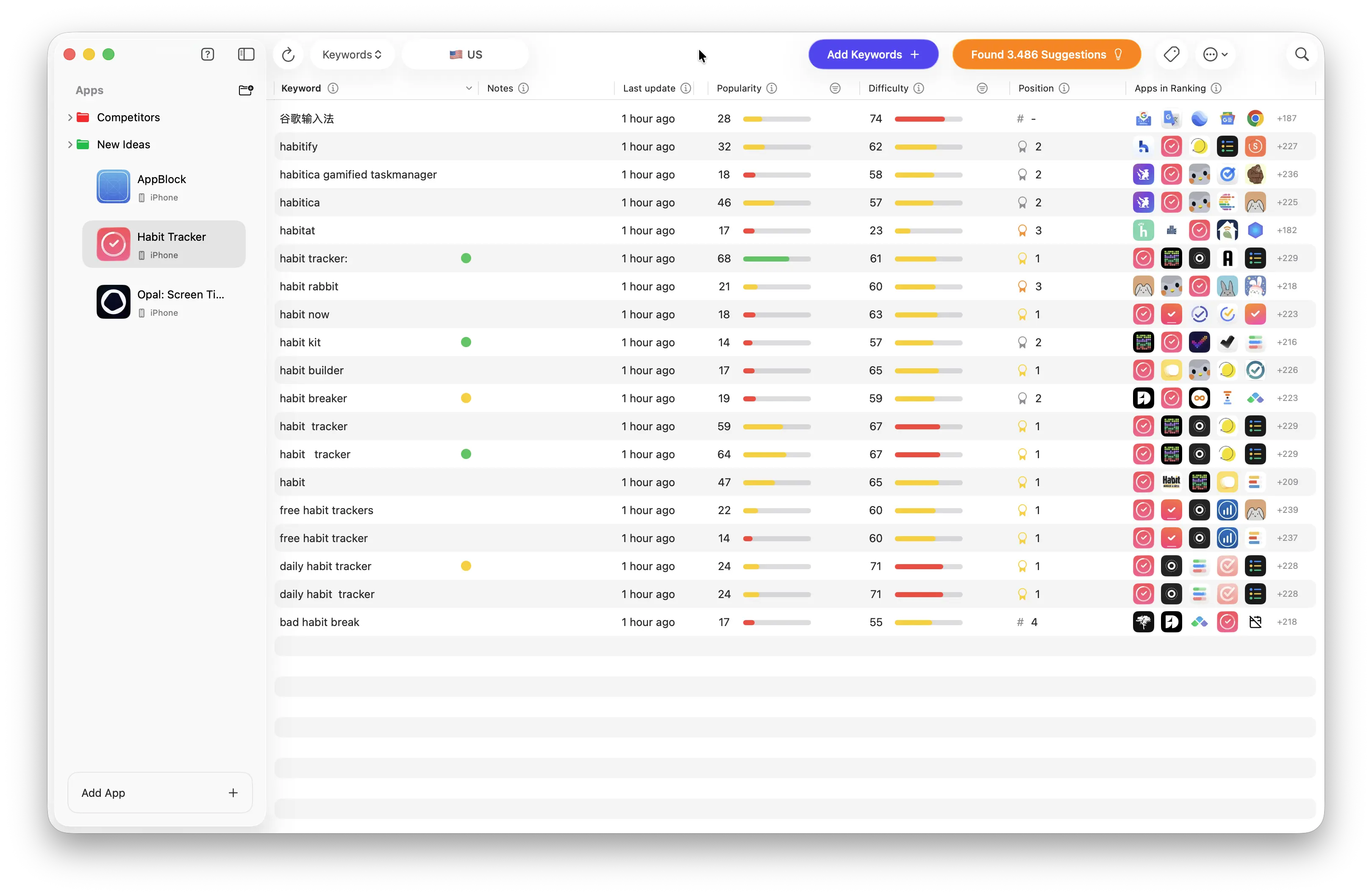
Astro keyword research dashboard
Start with seed keywords
Do not open an ASO tool and start typing random words. Start with the app idea.
Write down:
- The main thing the app does
- The problem it solves
- The type of user searching for it
- Similar apps people already know
- Alternative names for the same thing
For example, if you are building an AI tattoo app, your first seed keywords might be:
tattooai tattootattoo generatortattoo designtattoo creator
The goal is not to find the perfect keyword yet. Seed keywords are just starting points that help you discover better keywords.
In Astro, create a temporary app or open an existing app, then add your first few seed keywords.
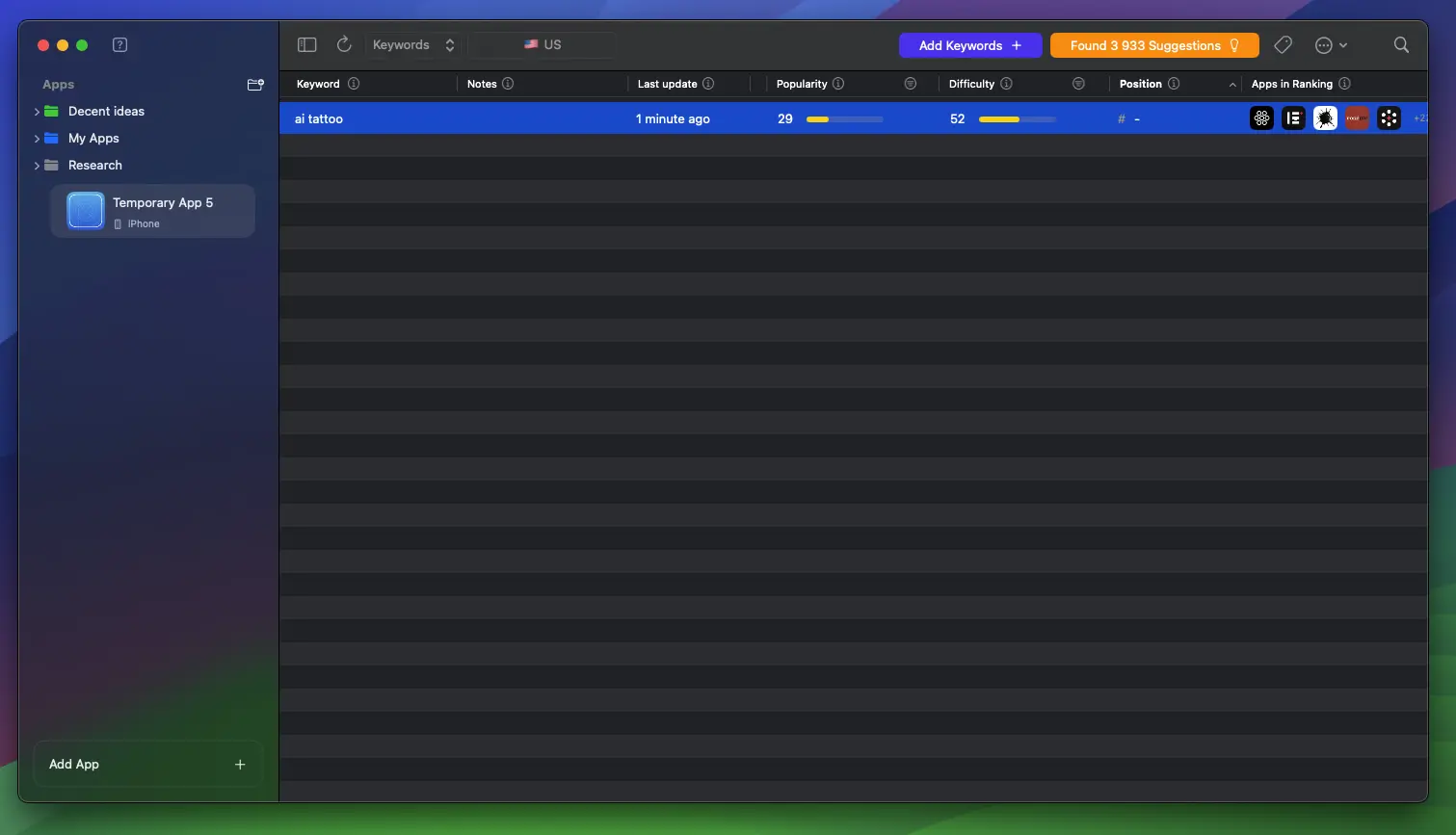
Starting with a seed keyword
Inspect competitor keywords
Once you have a seed keyword, look at the apps ranking for it.
This is where keyword research starts to get useful. You are not just asking "is this keyword popular?" You are asking:
- Who is already ranking?
- How many ratings do they have?
- Are they using the keyword in the app name or subtitle?
- Are the screenshots good?
- Does the app look actively maintained?
- Are there newer apps already ranking?
If every top result has thousands of ratings, a polished listing, and the exact keyword at the beginning of the title, it will be hard to compete.
If you see apps with low ratings, weak screenshots, old metadata, or no exact keyword in the title, that is a much better sign.
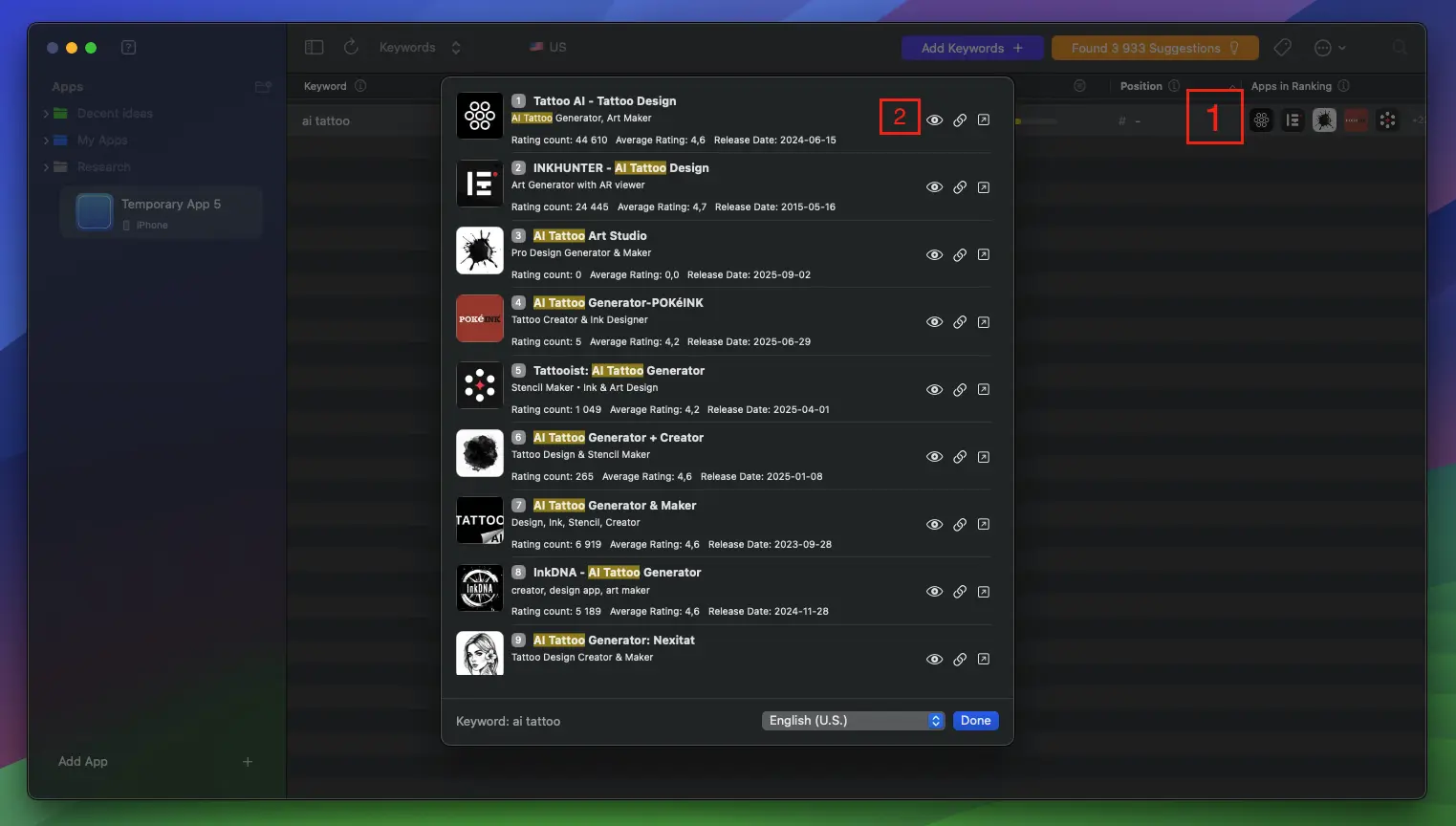
Competitors ranking for a keyword
In Astro, click into apps ranking for your seed keyword and look for adjacent keywords they rank for. This is often where the better ideas come from.
Filter and prioritize
After inspecting a few competitors, you will probably have a messy keyword list. That is normal.
Now filter it down.
The exact numbers depend on the niche, but for small indie apps, a useful starting point is:
- Popularity above 20
- Difficulty below 50
- Strong relevance to your app
Do not follow these numbers blindly. A keyword with lower popularity can still be good if it is highly relevant and easy to rank for. A keyword with higher difficulty can still be worth targeting if the top apps are not well optimized.
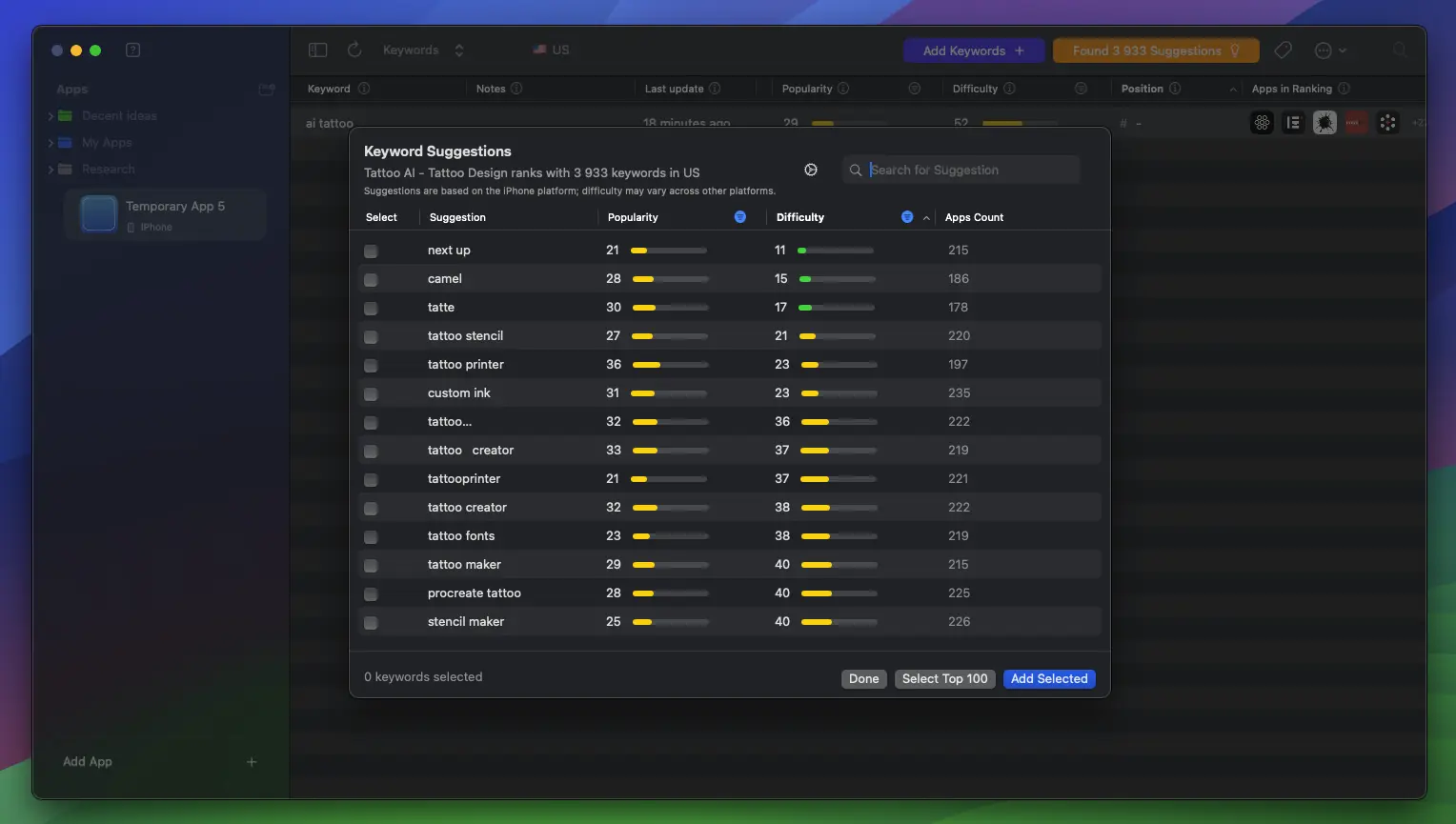
Filtered keywords by popularity and difficulty
When choosing keywords, I like to sort by difficulty first. This helps surface opportunities that are realistic for a new app.
A decent keyword list might include:
- 1 main keyword for the app name or subtitle
- 3-5 secondary keywords for subtitle and keyword field combinations
- 10-30 supporting keywords for future updates, localizations, or Apple Search Ads tests
You do not need a perfect list. You need a list that gives your app a real chance to rank somewhere.
Validate the opportunity
Before building around a keyword, validate it from a few angles.
First, check the App Store manually. Search the keyword on your phone and look at the results like a user would.
Ask yourself:
- Would your app belong in these results?
- Are the current apps solving the problem well?
- Can your screenshots explain the app faster?
- Is there a clear angle competitors are missing?
Second, check the same keyword in another ASO tool if you can. Appfigures is useful here because the data will not always match Astro. That is actually a good thing. If both tools suggest a keyword is worth looking at, the signal is stronger.
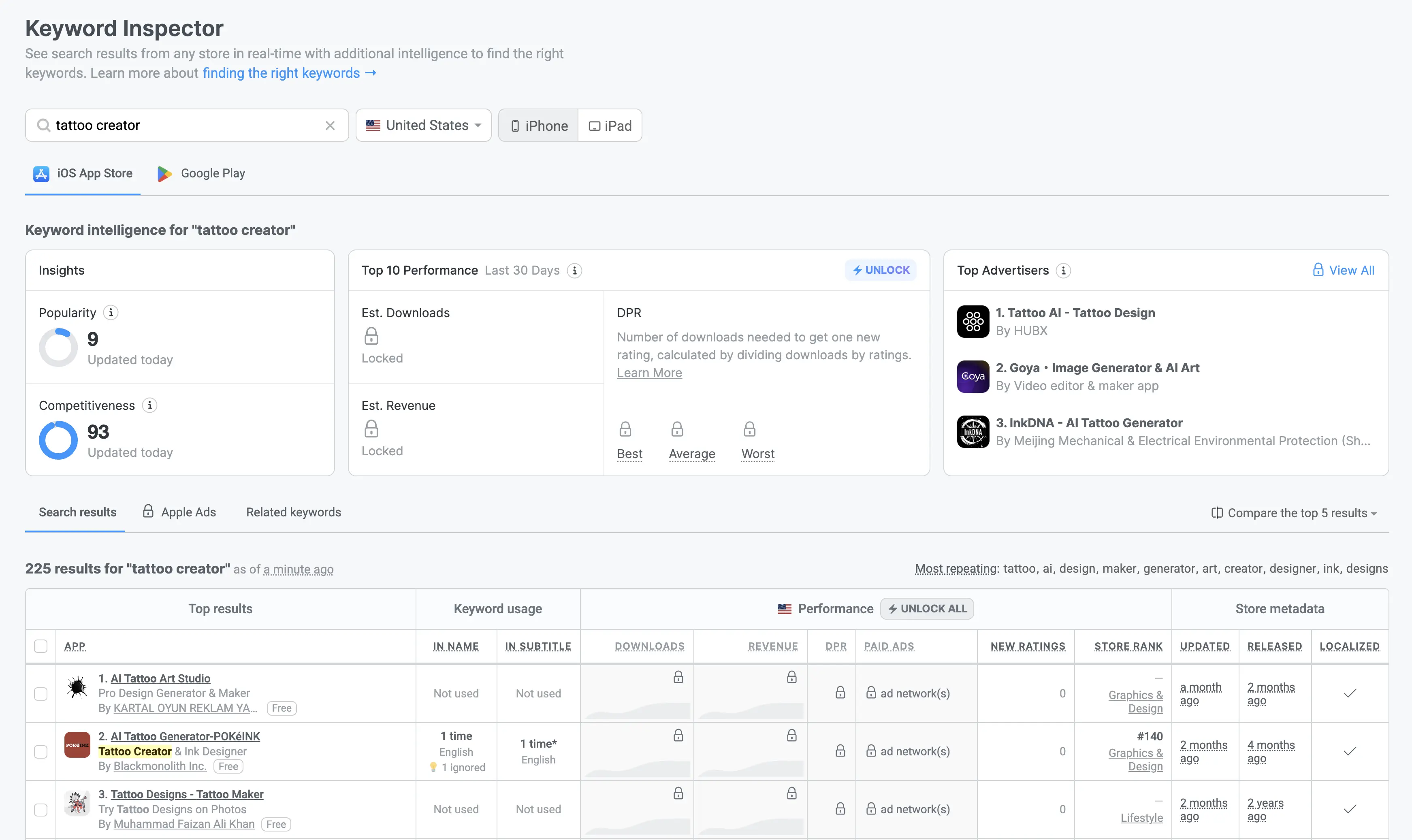
Validating a keyword in Appfigures
Third, check if the top apps are likely making money. A keyword can bring downloads and still be a bad business if users do not pay, subscribe, or retain.
For paid apps or subscription apps, look at:
- Rating count
- Recent reviews
- Pricing
- Paywall style
- Estimated revenue if your tool shows it
- How specific the search intent is
Someone searching tattoo ideas might be browsing. Someone searching tattoo stencil maker might be much closer to needing a specific tool.
Turn keywords into metadata
Once you have your target keywords, the next step is placing them in the right App Store fields.
For iOS, the main fields are:
- App name: Highest value, but only use keywords that still make the name readable.
- Subtitle: Great for your second most important keyword or a clear benefit.
- Keywords field: Good for extra relevant words and combinations.
- Description: More useful for conversion than direct iOS keyword indexing, but still important for humans.
Do not repeat the same keyword everywhere. On iOS, the app name, subtitle, and keywords field can combine terms, so repeating the same word wastes space.
For example, if your app name is:
Tattoo Creator: AI Design
You probably do not need to repeat tattoo, creator, ai, or design again in the keywords field. Use that limited space for related words instead.
When the keyword list is ready, you can use the App Store listing prompt to turn it into a cleaner name, subtitle, description, and keyword field.
Common mistakes
Here are the mistakes I would avoid:
- Starting too broad:
fitness,photo editor, andscannerare usually too competitive for new apps. - Ignoring search intent: A keyword can be popular but wrong for your app.
- Copying competitors blindly: Competitor keywords are clues, not a strategy.
- Repeating words: Do not waste the iOS keywords field by repeating terms already in the name or subtitle.
- Using brand names: Targeting competitor brand names can be risky and is usually not worth it.
- Never updating keywords: Rankings change. Track your keywords after launch and adjust.
ASO keyword research is not about finding one magic keyword. It is about stacking a few realistic opportunities, launching quickly, and learning from actual ranking data.
If you want a deeper walkthrough with examples, read the full App Store keyword research guide. It goes through the full process from keyword discovery to validation and launch.